

Observability
Bub’s observability follows a “dual-track” principle:
- State introspection (Tape): Inspect what the Agent remembers, how the context window is being consumed, and the prompt cache hit rate (built in, no external components required).
- Run telemetry (Traces): Track how each turn actually executes, the latency bottlenecks of models and tools, and error call stacks (exported to an external APM through OpenTelemetry).
Before you start
Section titled “Before you start”- You have installed the Bub application and configured a working model.
- If you are testing Phoenix locally, Docker or Podman must be installed.
Inspect the Tape
Section titled “Inspect the Tape”The Tape is Bub’s built-in session recording mechanism. With no configuration at all, you can use the built-in commands to check the health of the current session:
bub run "What tools do you have, and what is each one good for?"
bub run ",tape.info"
Expected terminal output looks similar to:
name: becda04eb9f7369c__065943a03cbe6395
entries: 98
anchors: 2
last_anchor: session/start
entries_since_last_anchor: 44
last_token_usage: 7458
last_token_cache_hit_rate: 72.50%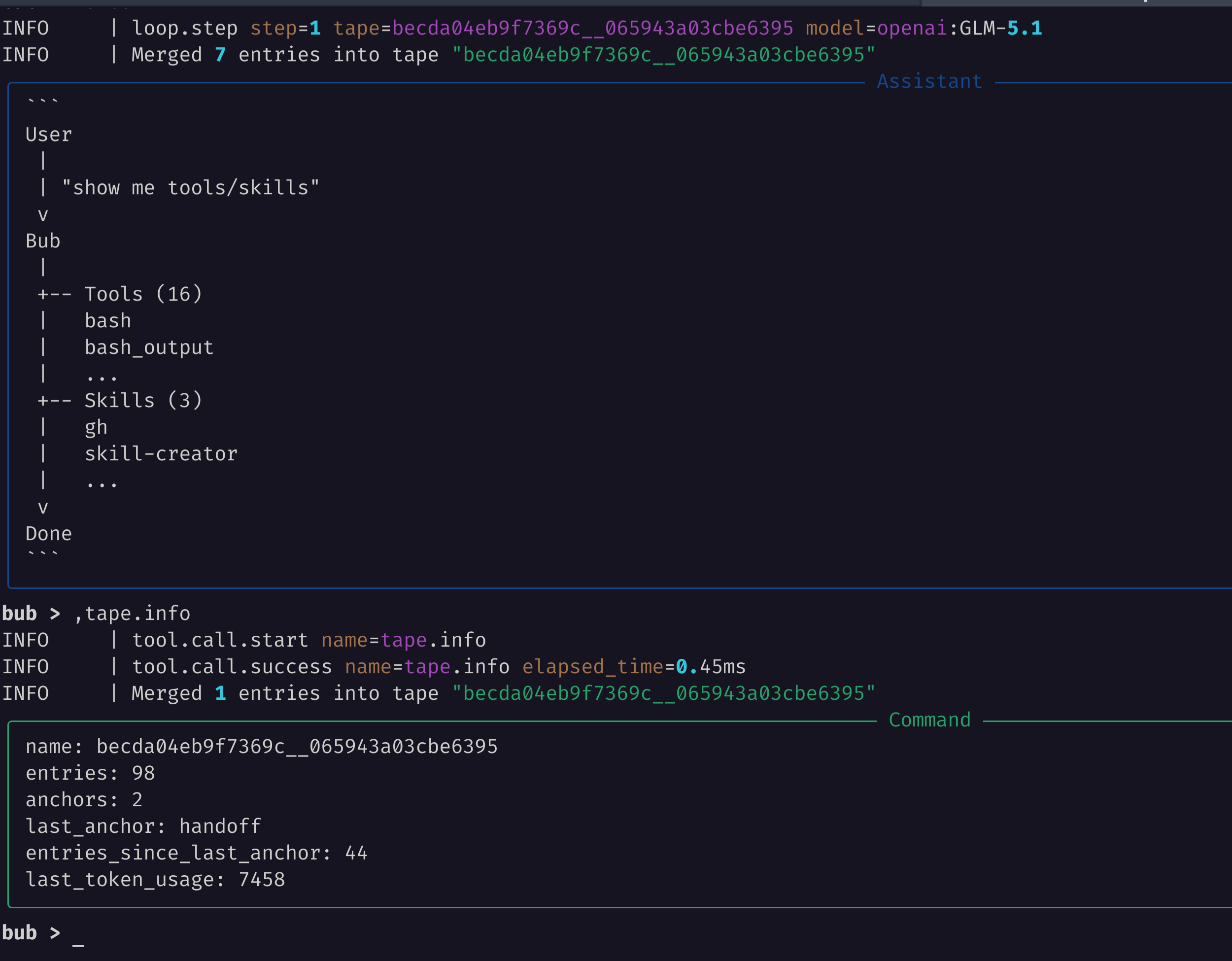
Interpreting core metrics
Section titled “Interpreting core metrics”| Field | Meaning and troubleshooting value |
|---|---|
entries |
Total number of events recorded in the session (including input, output, and tool calls). |
anchors / last_anchor |
Number of history anchors and the latest context boundary. This determines the starting context for model calls. |
entries_since_last_anchor |
Number of new entries since the last anchor; when this is too high, consider a handoff to move the context start forward. |
last_token_usage |
Total token consumption of the most recent model call. |
last_token_cache_hit_rate |
Prompt cache hit rate. A high hit rate means faster responses and lower cost. |
Quickly search historical events
Section titled “Quickly search historical events”When you need to check whether a tool call succeeded or find a specific step, there is no need to page through the full log manually; use ,tape.search:
# Search for events containing loop steps or tool calls
bub run ",tape.search query=loop.step"
Export traces
Section titled “Export traces”When you need to analyze model latency, tool execution time, and error reports, you can export traces to a dedicated analysis dashboard through OpenTelemetry (OTLP).
Arize Phoenix (local deployment)
Section titled “Arize Phoenix (local deployment)”Arize Phoenix is an excellent open-source AI telemetry tool that starts with a single Docker command:
docker run --rm --name bub-phoenix \
  -p 6006:6006 \
  arizephoenix/phoenix:latest
Once it is running, open the console in your browser at http://localhost:6006.
Install the tracing dependencies in the environment where Bub runs:
# Source installation
uv sync --extra app --extra trace

# Or distribution installation
uv add "bub[app,trace]"
Configure the standard OpenTelemetry environment variables and run a task:
export OTEL_SERVICE_NAME=bub
export OTEL_EXPORTER_OTLP_TRACES_ENDPOINT=http://localhost:6006/v1/traces
export OTEL_EXPORTER_OTLP_TRACES_PROTOCOL=http/protobuf

bub run "Use a tool to list the files in the current workspace."
After the run completes, refresh the Phoenix console, open the Default project, and you will see the complete call waterfall, clearly showing the detailed timing of each model call (chat <model>) and tool execution (execute_tool <tool>):

Pydantic Logfire
Section titled “Pydantic Logfire”If you do not want to maintain a Docker container locally, you can use Pydantic Logfire:
# Clear explicit OTLP endpoints (so Logfire takes over automatically)
unset OTEL_EXPORTER_OTLP_TRACES_ENDPOINT OTEL_EXPORTER_OTLP_ENDPOINT

# Install the logfire dependency
uv add "bub[logfire]"

# Log in and bind a project
logfire auth
logfire projects use

# Run a task
bub run "Inspect this repository and summarize its directory structure."
Log in to the Logfire web console, and on the Agents page you can view Bub’s run call stack and sub-Agent chains in real time.
Python code configuration
Section titled “Python code configuration”If you are reusing Bub through the Python SDK, you can also start telemetry explicitly when initializing the program:
from bub.tracing import configure_otlp

# Automatically reads standard environment variables such as OTEL_EXPORTER_OTLP_TRACES_ENDPOINT
configure_otlp()
Troubleshooting
Section titled “Troubleshooting”| Common issue | Possible cause | Solution |
|---|---|---|
| No traces appear in the Phoenix UI | The OTLP protocol or endpoint is misconfigured | Confirm that OTEL_EXPORTER_OTLP_TRACES_ENDPOINT includes /v1/traces and that the protocol is http/protobuf. |
The terminal reports that the opentelemetry dependency is missing |
The trace optional dependency is missing |
Run uv sync --extra app --extra trace or pip install "bub[app,trace]". |
| Logfire cannot report data | You are not logged in, or the OTLP variables were not cleared | Explicitly unset OTEL_EXPORTER_OTLP_TRACES_ENDPOINT and run logfire auth to reauthorize. |
,tape.info reports no active Tape |
No task has run in the current workspace or session | Run any bub run "..." command first to generate a session record. |
Cleanup
Section titled “Cleanup”Stop and remove the local Phoenix container used for testing:
docker rm -f bub-phoenix
unset OTEL_SERVICE_NAME OTEL_EXPORTER_OTLP_TRACES_ENDPOINT OTEL_EXPORTER_OTLP_TRACES_PROTOCOL